Switching Subscription Plans
As your store grows, your collection management needs might change, too. Smart Collections Builder makes it easy to switch between plans at any time—whether you're scaling up to handle more products or adjusting to fit your current needs.
How to Switch Plans?
Changing your subscription takes just a few steps:
Step 1: Open the app and go to the Billing tab.
Step 2: Under Subscription Management, click Change Plan.
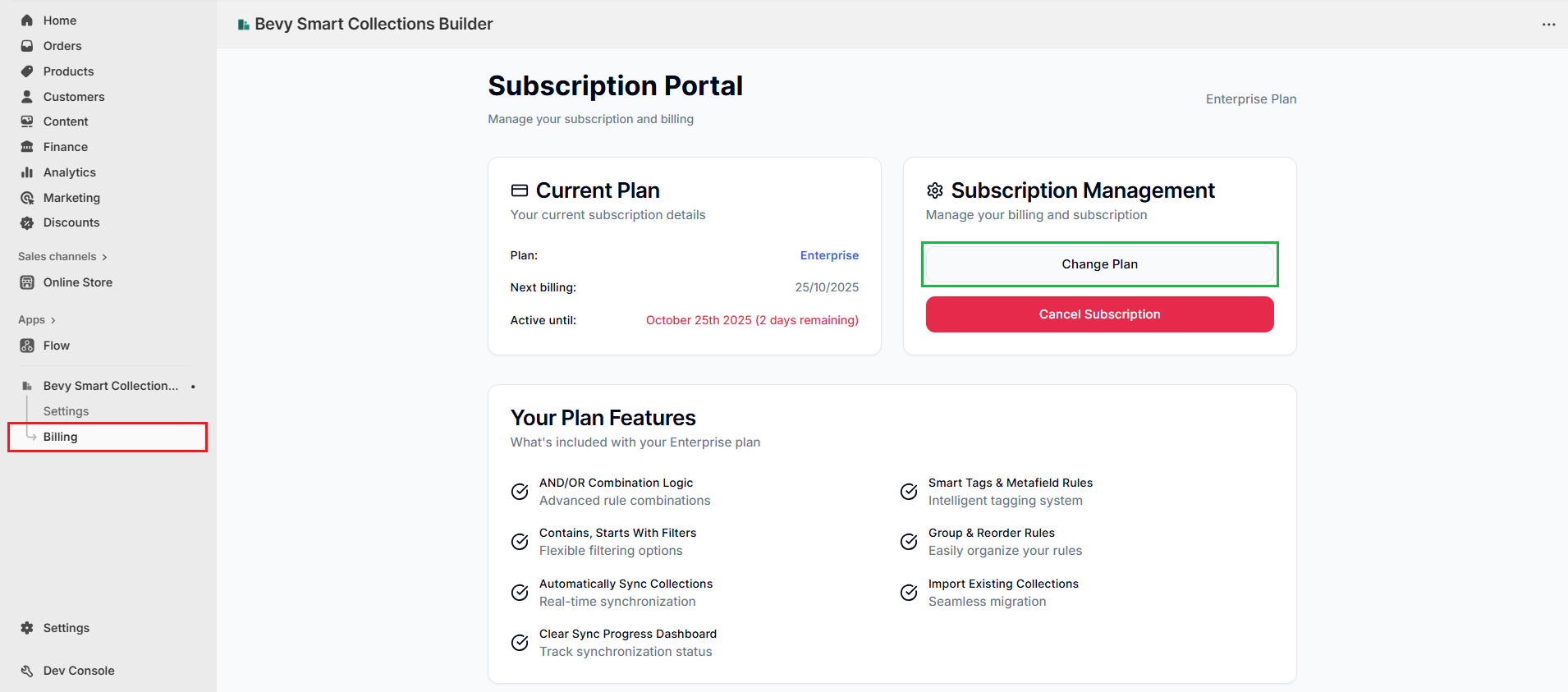
This takes you to the Pricing page, where you can see all available plans, including pricing, product limits, and features. The app highlights your currently active plan.
Step 3: Review the plans and find the one you want to switch to. Once you've decided, click Change Plan on your chosen option.
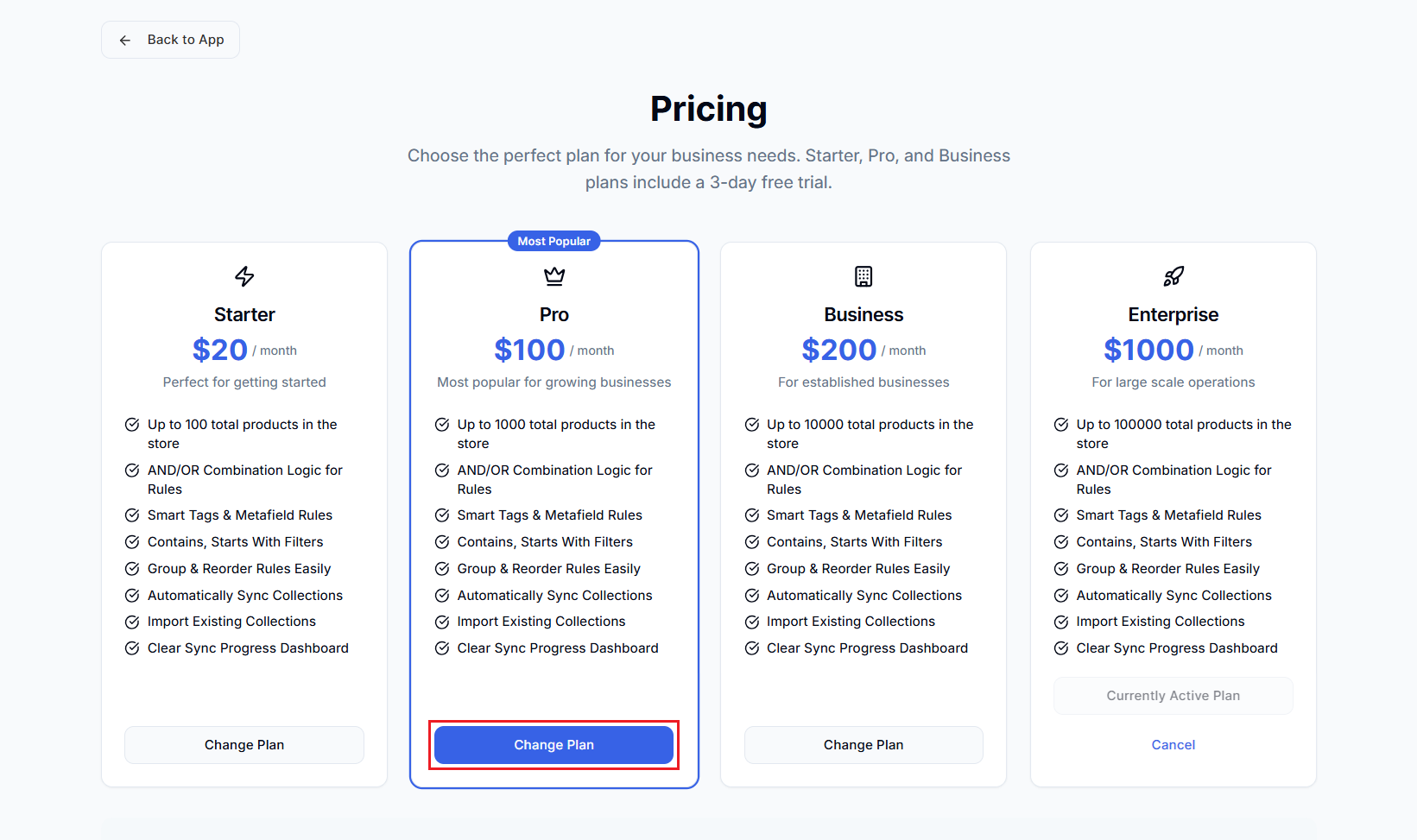
Step 4: Shopify redirects you to the payment confirmation page. Follow the prompts to complete the transaction.
Once payment is confirmed, your subscription updates automatically. No manual steps needed—you can get right back to managing your collections!
Upgrading vs. Downgrading
Upgrading to a Higher Plan
When you upgrade:
- The new plan takes effect immediately.
- You're billed the prorated difference for the current billing cycle.
- All existing collections and settings remain intact.
Downgrading to a Lower Plan
When you downgrade:
- The change takes effect at the start of your next billing cycle.
- You keep access to your current plan until then.
- Make sure your product count fits within the new plan's limit.
Important: If you have more products than the new plan supports, you may need to reduce your synced products or consider staying on a higher tier.
Choosing the Right Plan
Not sure which plan fits best? Here's a quick guide:
| Plan | Products | Best For |
|---|---|---|
| Starter ($20/mo) | Up to 100 | Small stores testing advanced collections |
| Pro ($100/mo) | Up to 1,000 | Growing stores with moderate catalogs |
| Business ($200/mo) | Up to 10,000 | Established businesses with large inventories |
| Enterprise ($1,000/mo) | Up to 100,000 | High-volume operations |
Pro Tip: Choose based on your total product count in Shopify, not just how many products you plan to include in collections. The app needs to sync with your full catalog to apply rules correctly.
For a detailed comparison of all features, check out Why Use Smart Collections Builder?
Free Trial Information
New to Smart Collections Builder? Starter, Pro, and Business plans all include a 3-day free trial. This gives you time to explore the features and make sure the app is right for your store before committing.
Got Something to Discuss?
Need help choosing a plan or have questions about billing? We're happy to help! Reach out via live chat or email us at support@bevycommerce.com.